




01
Works with Material for MkDocs pages
Index guides, reference pages, and generated static HTML from public MkDocs or Material for MkDocs deployments without replacing your theme.
An AI chatbot for MkDocs and Material for MkDocs documentation. ChattyBox crawls your public site, answers questions like "How do I enable navigation tabs?" from those pages, and cites the source. No Python indexing pipeline or custom RAG to maintain.
ChattyBox crawls your existing documentation, indexes the content for retrieval, and embeds a chatbot that answers using your docs instead of generic model memory.
Crawl the deployed MkDocs sitemap or the stable and versioned paths you intentionally support.
Test product, Python, and API questions and open every citation before installation.
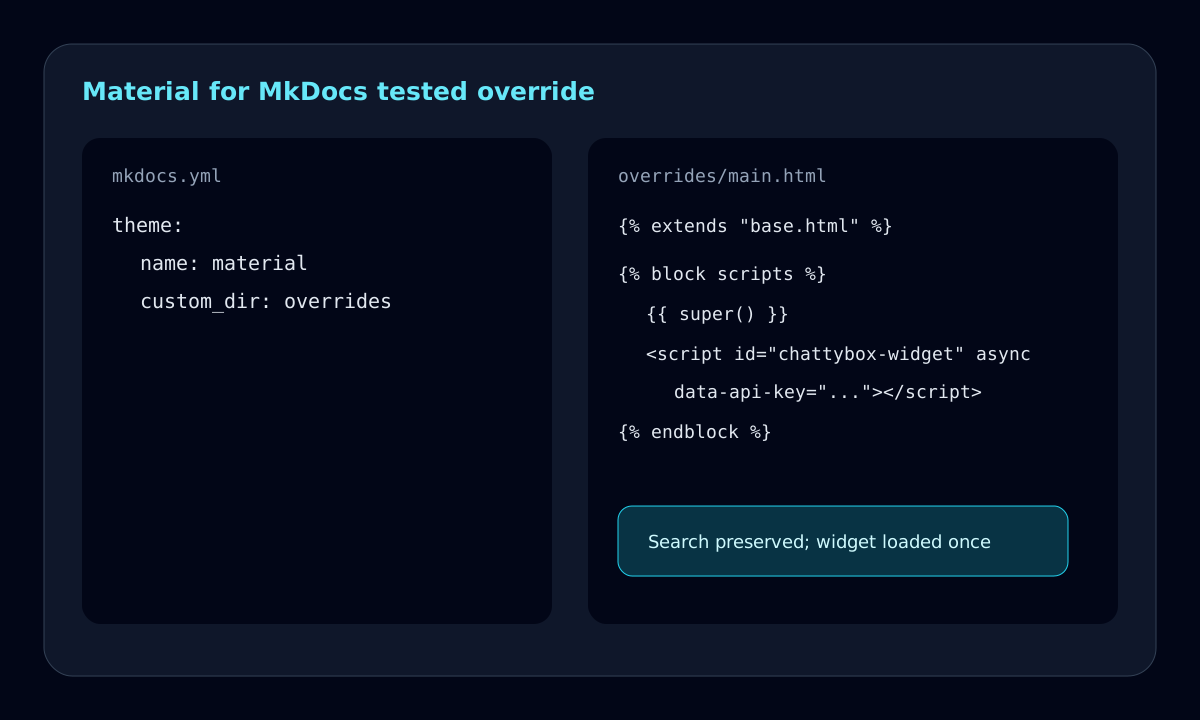
For Material, configure theme.custom_dir and extend base.html from overrides/main.html while preserving the scripts block with super().
Verify built-in search, instant navigation, mobile controls, CSP, and each published mike version.
Three-step launch
MkDocs teams usually want fast static builds, clear navigation, and readable technical content. ChattyBox keeps that workflow intact while adding a source-cited assistant on top of the published site.
Index guides, reference pages, and generated static HTML from public MkDocs or Material for MkDocs deployments without replacing your theme.
Point ChattyBox at the version paths you want users to ask about, then test whether answers cite the intended stable, latest, or legacy docs.
Because ChattyBox crawls the public site, teams do not need to add vector indexing to their MkDocs build pipeline or CI scripts.
Use unanswered questions to identify missing examples, unclear installation steps, or outdated troubleshooting pages in your MkDocs site.
Material for MkDocs and the built-in MkDocs theme both support template inheritance, but they should use separate custom directories. The Material path below preserves its scripts block with super(), adds one async loader, and survives instant navigation without replacing search behavior.
Recheck template blocks and instant-navigation behavior after theme upgrades, and recrawl whenever a mike alias moves.
| MkDocs concern | Implementation decision | Verification |
|---|---|---|
| Material override | Set theme.name to material and theme.custom_dir to overrides. Extend base.html, override scripts, call super(), then append the widget script. | Build and serve the site, then confirm Material search and navigation still work. |
| Vanilla MkDocs | Use theme.name: mkdocs with a separate custom_theme directory. Add the equivalent custom_theme/main.html override rather than copying Material templates. | Run mkdocs serve and verify search, next and previous links, and the widget on more than one page. |
| Async loading and duplicates | Keep one loader in the inherited scripts block, give it a stable ID, and do not add the same snippet through extra_javascript or another partial. | After full loads and Material instant transitions, confirm document.querySelectorAll("#chattybox-widget").length is 1. |
| Content Security Policy | Allow chattybox.ai in script-src, the configured API origin in connect-src, fonts.googleapis.com in style-src, and fonts.gstatic.com in font-src. The current widget injects its component CSS, so a strict style-src also needs 'unsafe-inline' until a nonce-aware or external stylesheet build is available. | Check the browser console and Network panel for blocked script, style, font, fetch, or WebSocket requests. |
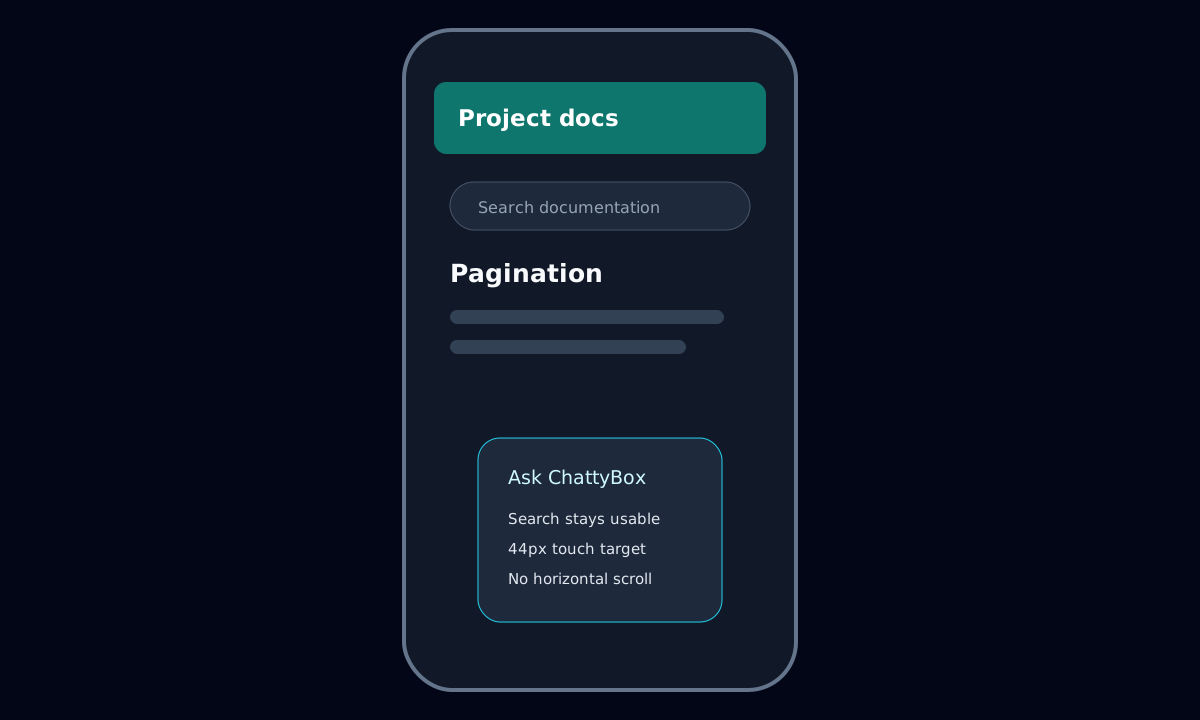
| Search, instant navigation, and mobile | Preserve theme scripts with super() and keep the launcher clear of the search dialog, drawer, pagination, and consent controls. | Test keyboard search, several instant links, and a 390-pixel viewport with no overlap or horizontal scrolling. |
| mike versions | Choose stable, latest, or explicit version paths deliberately. Recrawl after moving an alias, and exclude unsupported releases when cross-version answers would mislead users. | Use mike serve to test version switching and confirm citations resolve inside the intended version. |
| Widget or citation failure | Check YAML indentation, the active custom_dir, inherited block name, API key, CSP, sitemap contents, and whether the deployed build includes the override. | Inspect generated HTML and test the production artifact instead of relying only on live reload. |
Use a theme question with a verifiable template rule, then open the citation and confirm it matches the version your visitor selected.
For Material for MkDocs, set theme.custom_dir to overrides, extend base.html in overrides/main.html, and call super() before the async widget script. Vanilla MkDocs needs its own custom theme directory and equivalent main.html override.
{% extends "base.html" %}

{% block scripts %}
  {{ super() }}
  <script
    id="chattybox-widget"
    src="https://chattybox.ai/widget.js"
    async
    data-api-key="YOUR_API_KEY"
    data-api-url="https://adorable-woodpecker-629.convex.site/chat"
    data-chattybox-widget="true"
  ></script>
{% endblock %}See the source-cited documentation chatbot workflow that applies across platforms.
Answer endpoint, parameter, and authentication questions from Python and API reference docs.
Compare the same grounded workflow for Docusaurus documentation sites.
Find setup guides for Docusaurus, VitePress, Starlight, Nextra, Mintlify, ReadMe, and more docs platforms.
Yes. ChattyBox can crawl public MkDocs and Material for MkDocs pages and embed as a standard website widget.
No. Add the widget snippet to your site template or theme override after configuring the chatbot.
Yes, if versioned docs pages are public and included in the crawl or sitemap.
Yes. ChattyBox analytics help reveal questions that your MkDocs content does not answer clearly yet.
No credit card required. Your content is not used for model training.
Free tier. No card needed.