




Can ChattyBox crawl a Docusaurus site?
Yes. ChattyBox can crawl public Docusaurus documentation pages or use a sitemap URL to discover docs content.
A Docusaurus AI chatbot for technical writers, DevRel, and support teams. ChattyBox crawls your Docusaurus docs, answers questions like "How do I configure versioning?" from those pages, and cites the source it used. No custom RAG and no migration.
Some AI support tools make you book a demo before you can even test the product. ChattyBox is self-serve: add your site, crawl your docs, test the chatbot, and embed it when you are ready.
ChattyBox crawls your existing documentation, indexes the content for retrieval, and embeds a chatbot that answers using your docs instead of generic model memory.
Choose the production Docusaurus sitemap or an intentional set of current, versioned, and localized docs routes.
Crawl the selected routes, then test questions against the exact release and locale your visitors use.
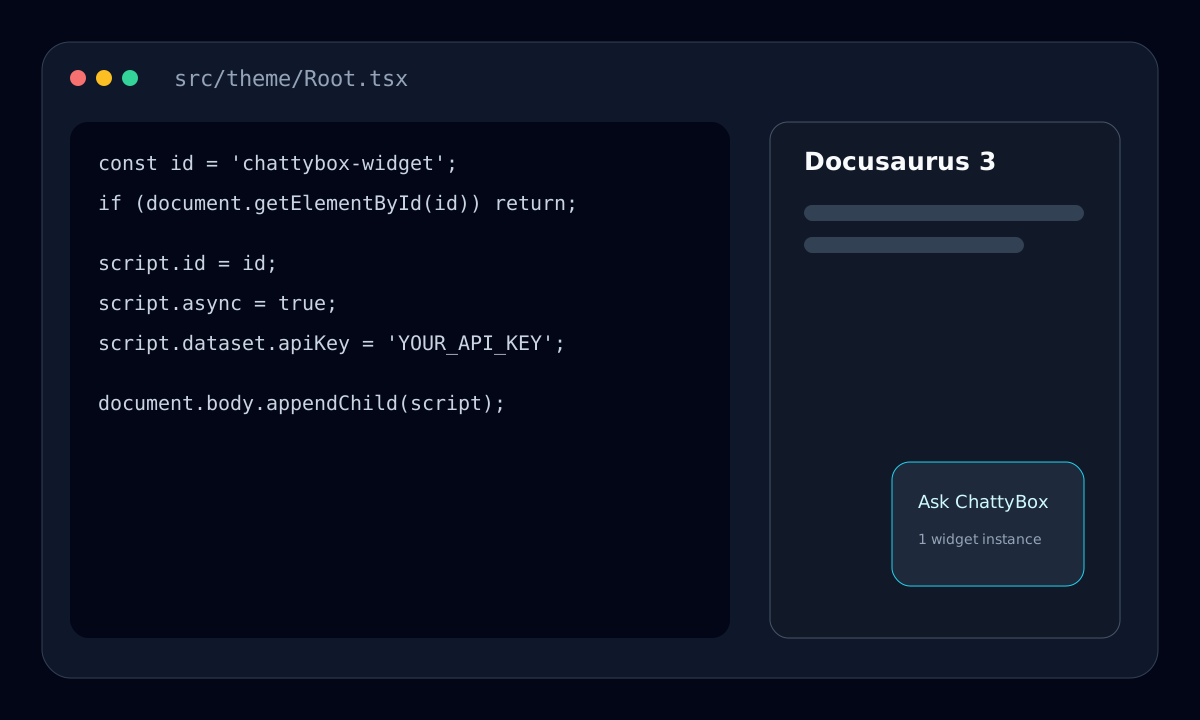
Install one persistent loader in src/theme/Root.tsx and allow its script and API origins in your Content Security Policy.
Navigate between docs pages without a reload and verify one widget instance, working citations, and no console or CSP errors.
Three-step launch
Docusaurus renders a persistent React application around client-side route changes. The tested Root wrapper therefore creates one loader, recognizes later mounts by ID, and leaves the loader in place instead of removing a still-active widget during development remounts.
Recheck the Root lifecycle, sitemap output, and CSP origins after a Docusaurus major upgrade or widget endpoint change.
| Docusaurus concern | Implementation decision | Verification |
|---|---|---|
| Root and client navigation | Create the async script once by stable ID. Do not return cleanup from the effect because Root and the widget are intended to persist across routes. | Open two internal docs links and confirm document.querySelectorAll("#chattybox-widget").length is 1. |
| Content Security Policy | Allow chattybox.ai in script-src, the configured API origin in connect-src, fonts.googleapis.com in style-src, and fonts.gstatic.com in font-src. The current widget injects its component CSS, so a strict style-src also needs 'unsafe-inline' until a nonce-aware or external stylesheet build is available. | Reload with DevTools open and confirm there are no blocked script, style, font, fetch, or WebSocket requests. |
| Versions, locales, and sitemap scope | Inspect the deployed sitemap before crawling. Include only supported release and locale paths, or use separate sources when audiences must not receive cross-version answers. | Ask the same release-specific question in each indexed locale and check that every citation keeps the expected route prefix. |
| Missing or duplicate widget | Check the API key, loader ID, CSP console messages, script response, and whether another theme component also injects the widget. | Test a production build, not only hot reload, and inspect the Elements and Network panels after navigation. |
A useful acceptance test asks about a setting whose answer can differ by release, then opens the citation to verify both the claim and the versioned URL.
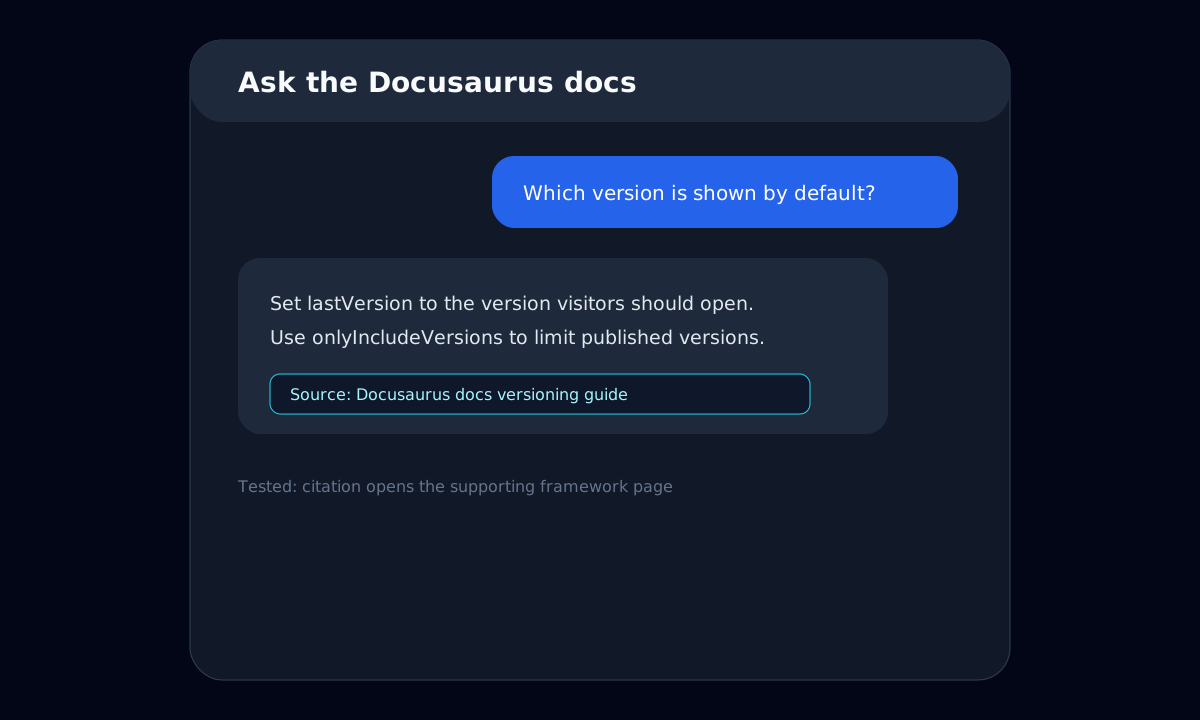
Create a Docusaurus theme Root component, add the widget script after your docs are scraped, and deploy. Your visitors can then ask questions from any docs page.
import React, { useEffect, type ReactNode } from 'react';

const WIDGET_ID = 'chattybox-widget';

export default function Root({ children }: { children: ReactNode }) {
  useEffect(() => {
    if (document.getElementById(WIDGET_ID)) return;

    const script = document.createElement('script');
    script.id = WIDGET_ID;
    script.src = 'https://chattybox.ai/widget.js';
    script.async = true;
    script.dataset.apiKey = 'YOUR_API_KEY';
    script.dataset.apiUrl = 'https://adorable-woodpecker-629.convex.site/chat';
    script.dataset.chattyboxWidget = 'true';
    document.body.appendChild(script);
  }, []);

  return <>{children}</>;
}See how source-cited answers work across technical documentation sites and platforms.
Help developers resolve setup, SDK, API, and error questions from your guides faster.
Compare the same source-cited workflow for MkDocs and Material for MkDocs sites.
Find setup guides for VitePress, Starlight, Nextra, Mintlify, ReadMe, Hugo, and more docs platforms.
Yes. ChattyBox can crawl public Docusaurus documentation pages or use a sitemap URL to discover docs content.
No. You embed ChattyBox with a script tag, so it works alongside your existing Docusaurus theme and deployment.
Yes. Answers can include citations that point users back to the exact documentation pages used for the response.
Yes. You can test scraped content in the dashboard before copying the widget snippet to your Docusaurus site.
No credit card required. Your content is not used for model training.
Free tier. No card needed.